How to Add Sound Effects in CapCut (Phone and Desktop)
CapCut has its own library of sound effects, and it'll take any MP3 you bring too. Here's how to add both on your phone and on desktop. Need sounds to practice with? Every sound in my free sound effects library downloads as an MP3 that goes straight into CapCut.
Quick answer
On your phone, tap Audio, then Sound FX. Tap a sound to hear it, then tap the + next to it to add it at the playhead. On desktop, open the Audio tab, click Sound effects, then click the + on a sound or drag it onto the timeline.
To use your own sound, add the MP3 like any other file: Audio › Sounds on your phone, or Import on desktop.
How to Add Sound Effects in CapCut (Phone)
- Open your project and scroll the timeline so the white playhead line sits where the sound should play.
- With no clip selected, tap Audio in the bottom menu.
- Tap Sound FX. On some versions it's called Sound effects.
- Browse the categories, or search for the sound you want, like "whoosh" or "ding".
- Tap a sound to hear it.
- Tap the + next to it. It lands on an audio track under your video, starting at the playhead.
- Press and hold it to drag it left or right, and drag its ends to trim it.
- With it selected, tap Volume to make it louder or quieter, or Fade to soften the start and end.
Repeat for every sound you want. Sounds that overlap go on separate tracks, so a whoosh can run straight into a boom.
How to Add Sound Effects in CapCut (Desktop)
- Open your project and move the playhead to where the sound should play.
- Click the Audio tab at the top left.
- Click Sound effects on the left.
- Search for a sound, or browse the categories, and click one to hear it.
- Click the + on the sound to add it at the playhead. If it shows a download arrow instead, click that first. You can also drag a sound straight onto the timeline.
- Drag it to line it up with the moment, and drag its edges to trim it.
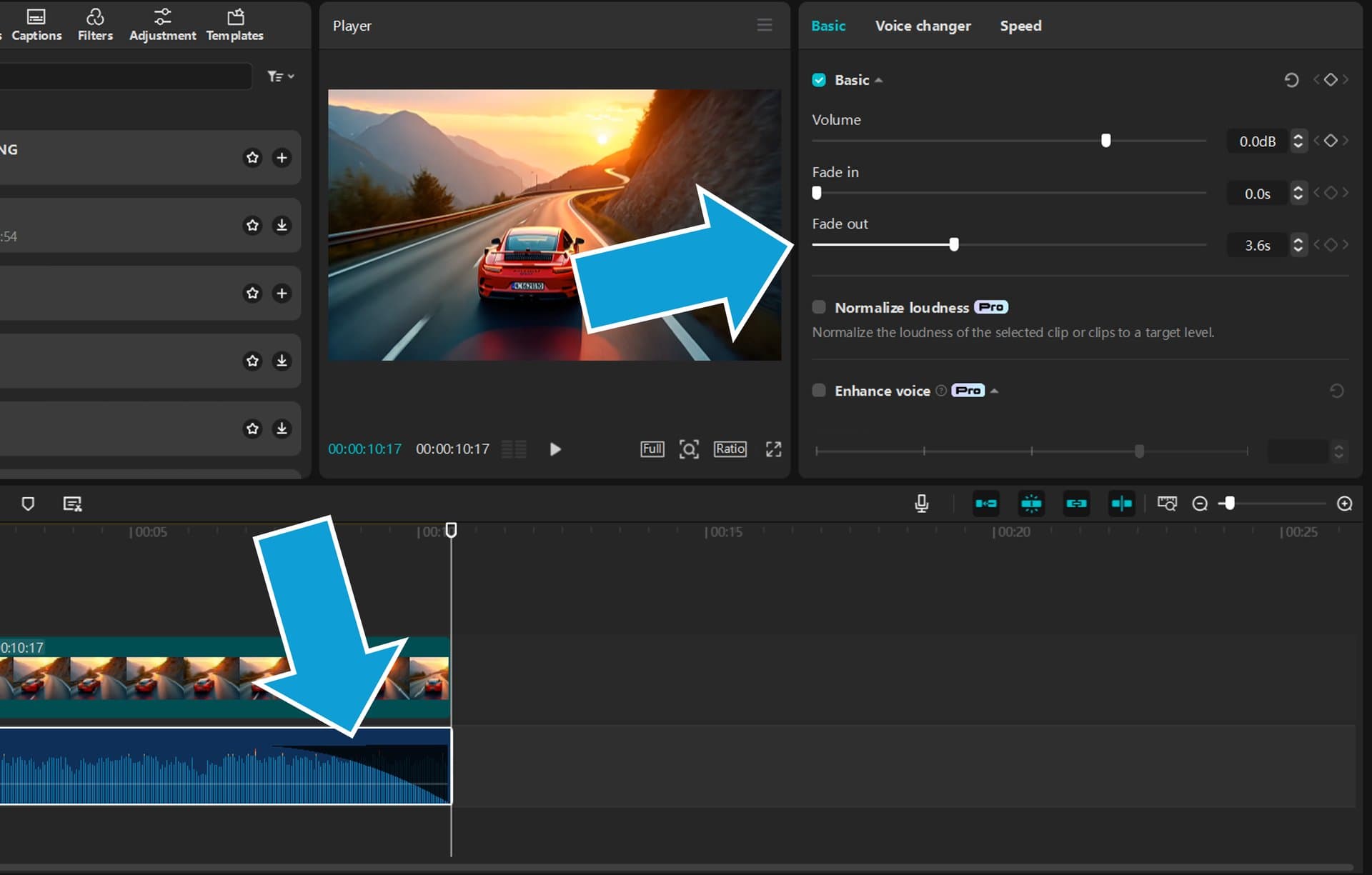
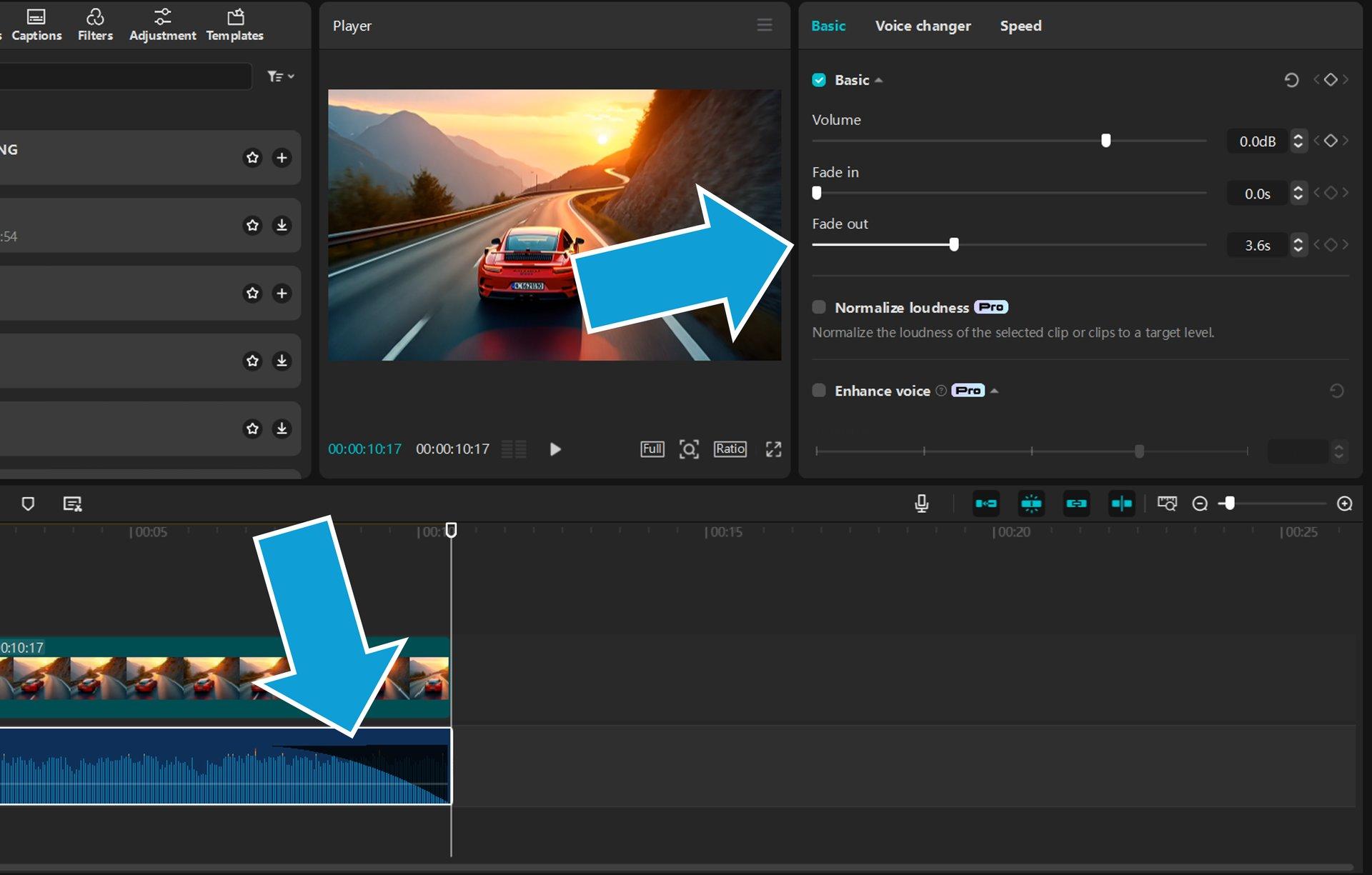
- Select it and set its Volume, Fade in and Fade out in the Basic tab on the right.
How to Add Your Own Sound Effects to CapCut
CapCut's library won't have every sound you're after, but any MP3 works. Download the sound first. On an iPhone it saves to the Files app, and on Android it goes to your Downloads folder.
On your phone
- In your project, move the playhead to where the sound should play.
- Tap Audio, then Sounds.
- Tap the folder icon to open Your sounds, then pick the MP3 from your phone. On an iPhone, choose the option to import it from Files.
- Tap the blue + next to it to add it to your video.
This menu moves around between versions. If yours looks different, look under Audio › Sounds for the option to add a sound from your device.
On desktop
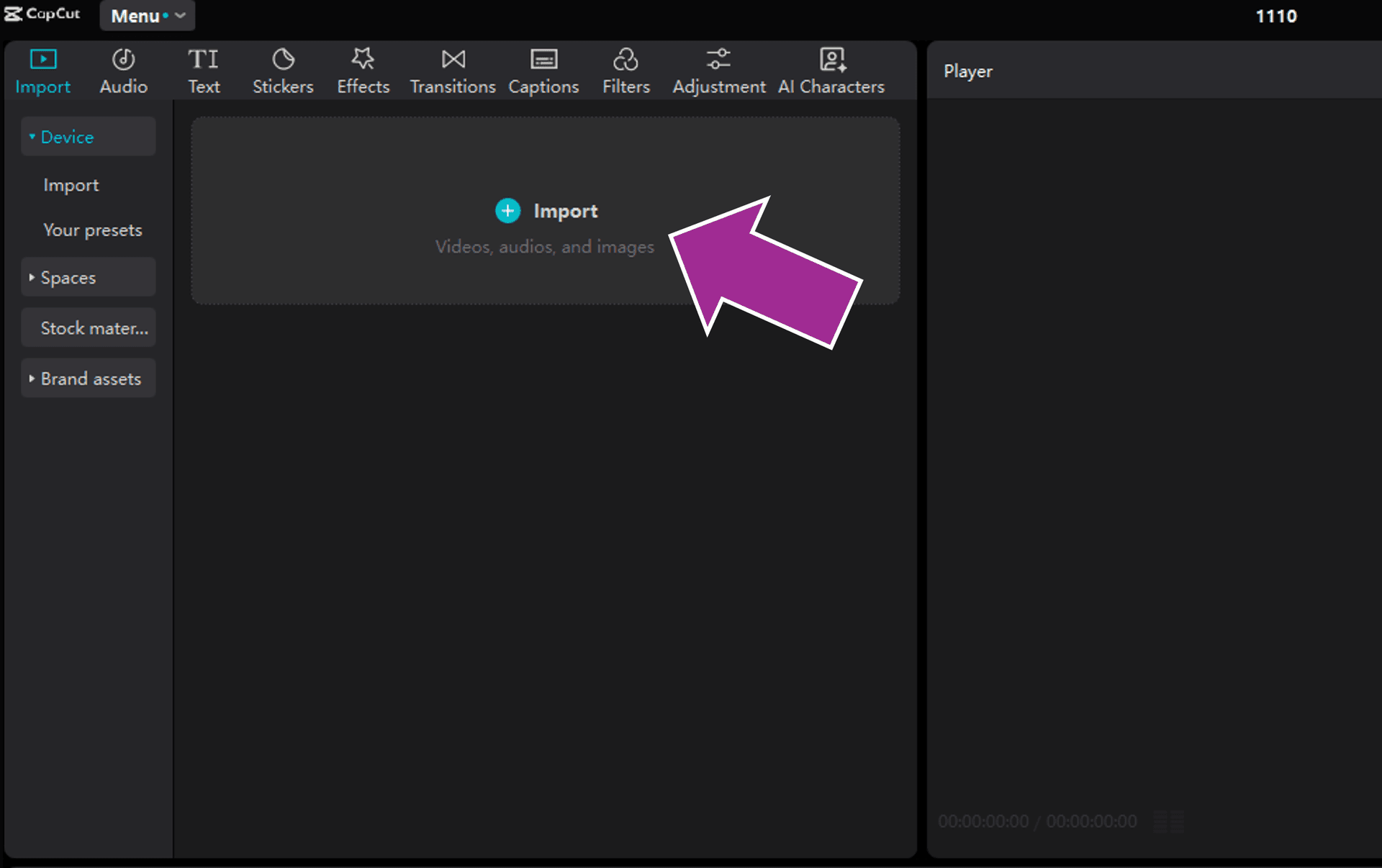
- Click Import at the top left and choose the MP3, or drag the file into CapCut.
- Drag it from the media panel onto the timeline, under your video, where the sound should play.
Free Sound Effects to Use in CapCut
These are the sounds that end up in CapCut edits again and again. Tap play to hear one here, and the download button saves it as an MP3. The name opens more versions of the same sound.
You'll find lots more in my free sound effects library, and every one's free to use in your videos, commercial ones included.
How to Add Funny Sound Effects in CapCut
Funny sounds go in the same way as any other sound. In Sound FX, search for the sound by name, like "boing", "bruh" or "laugh", or try "meme" or "funny". Not sure what a sound's called? My list of sound effect words can help you find the right one.
The sound's only half the joke. The other half is timing: put it on the exact frame where the thing happens, whether that's the fall, the side-eye or the punchline. A quick zoom in on someone's face with a meme boom on the same frame is a classic for a reason. These are the comedy sounds I'd start with:
Are CapCut Sound Effects Copyright Free?
No. CapCut's sounds are licensed to you for videos you make in CapCut, and its Materials License Agreement puts limits on them:
- Most sounds are for personal, non-commercial videos only. A TikTok or Reel you make for fun is fine.
- Sounds marked commercial can go in some commercial videos. CapCut's commercial music, for example, is only cleared for videos shown on CapCut, TikTok and TikTok for Business.
- One non-commercial sound makes the whole video non-commercial, even if the rest is marked commercial.
- You can't take the sounds out of CapCut and use them on their own.
The terms change now and then, so check CapCut's current ones before a paid project. For brand deals, ads, client work or a monetized YouTube channel, it's simpler to use sounds whose license covers it. Every sound in my free library is free for personal and commercial projects, including YouTube, TikTok and client work, and you don't have to credit me. For how sound effect copyright works in general, see are sound effects copyrighted?
Tips for Sound Effects That Land
- Zoom into the timeline. Pinch the timeline apart on your phone, or use the zoom slider above the timeline on desktop, so you can put a sound on the exact frame.
- Keep them under your voice. Most effects sound right a little quieter than the voice, so turn them down until every word's clear.
- Whoosh on your transitions. A whoosh makes a cut feel faster. Here's how to add transitions in CapCut, and the best CapCut transitions to pair with one.
- Pop on your text. A soft pop as a caption appears makes it feel snappy. See how to add text in CapCut.
- Fade the long ones. A long sound that stops dead sounds like a mistake, so fade it out. Here's how to fade out in CapCut.
- Reuse a sound from your own video. If it's in a clip you shot, extract the audio in CapCut and trim it down.
- Don't overdo it. One sound per moment is plenty. If every second has a sound, none of them stand out.
- Posting to TikTok? You can add TikTok's own sounds after you upload too. Here's how to add sound effects on TikTok.
- Editing in another app too? The same sounds work everywhere. Here's how to add sound effects to a video in Premiere Pro, DaVinci Resolve, iMovie, Canva and more.
Free sound effects library
Whooshes, booms, meme sounds and more, to play first and download as MP3s that drop straight into CapCut.
Frequently asked questions
Does CapCut have built-in sound effects?
Yes. On your phone they're under Audio › Sound FX, and on desktop they're in the Audio tab under Sound effects. You can search them by name or browse by category.
How do I import my own sound into CapCut?
On your phone, tap Audio › Sounds, tap the folder icon to open Your sounds, and pick the MP3 from your phone. On desktop, click Import, choose the MP3 and drag it onto the timeline.
Are CapCut sound effects copyright free?
No. They're licensed for videos you make in CapCut. Most are for personal, non-commercial videos only, sounds marked commercial still have limits, and you can't use them outside CapCut. For commercial work, use sounds whose license covers it.
How do you add funny sound effects on CapCut?
Tap Audio › Sound FX and search for the sound by name, like boing, bruh or laugh, then put it on the exact frame of the joke. You can also download meme sounds as MP3s and import them.
Why can't I find Sound FX in CapCut?
Tap away from your clips so nothing's selected, then tap Audio in the bottom menu. On some versions it's called Sound effects. If it's still missing, update CapCut.
Can you add more than one sound effect in CapCut?
Yes. Add them one at a time. Sounds that overlap go on separate audio tracks, so you can run a whoosh straight into a boom.
How do I make a sound effect louder in CapCut?
On your phone, tap the sound on the timeline, tap Volume and drag the slider up. On desktop, select it and raise Volume in the Basic tab on the right.
What are the best audio effects in CapCut?
Audio effects change a sound that's already in your video, usually a voice. Tap the clip and choose Audio effects on your phone, or open the Voice changer tab on desktop. The best one depends on the video, but the classics make a voice higher, deeper, robotic or echoey.
How do you add sound effects to your video?
Put the sound on an audio track under your video, line it up with the moment it belongs to, and set its volume so it doesn't drown out the voice. It works the same way in CapCut and every other editor.