Preview the Best Fonts for Edits

Type your text and see it in 33 free CapCut fonts at once. Change the size and colour, add an outline, then grab the font you like.

56px
  • Ubuntu Sans

    Clean
    Get font

    Your Edit Text

  • Itim

    Playful
    Get font

    Your Edit Text

  • Reddit Sans

    Clean
    Get font

    Your Edit Text

  • Sedan SC

    Elegant
    Get font

    Your Edit Text

  • Poetsen One

    Bold
    Get font

    Your Edit Text

  • Rubik

    Clean
    Get font

    Your Edit Text

  • Supermercado One

    Playful
    Get font

    Your Edit Text

  • Calistoga

    Bold
    Get font

    Your Edit Text

  • Audiowide

    Edgy
    Get font

    Your Edit Text

  • Jaro

    Bold
    Get font

    Your Edit Text

  • Poppins

    Clean
    Get font

    Your Edit Text

  • Nunito

    Clean
    Get font

    Your Edit Text

  • Carter One

    Bold
    Get font

    Your Edit Text

  • Roboto Mono

    Clean
    Get font

    Your Edit Text

  • Montserrat

    Clean
    Get font

    Your Edit Text

  • Kurale

    Elegant
    Get font

    Your Edit Text

  • League Gothic

    Bold
    Get font

    Your Edit Text

  • Chela One

    Bold
    Get font

    Your Edit Text

  • Fugaz One

    Bold
    Get font

    Your Edit Text

  • Teachers

    Clean
    Get font

    Your Edit Text

  • Acme

    Playful
    Get font

    Your Edit Text

  • Chewy

    Playful
    Get font

    Your Edit Text

  • Noto Sans

    Clean
    Get font

    Your Edit Text

  • Oswald

    Bold
    Get font

    Your Edit Text

  • Agbalumo

    Playful
    Get font

    Your Edit Text

  • Amita

    Elegant
    Get font

    Your Edit Text

  • Pirata One

    Edgy
    Get font

    Your Edit Text

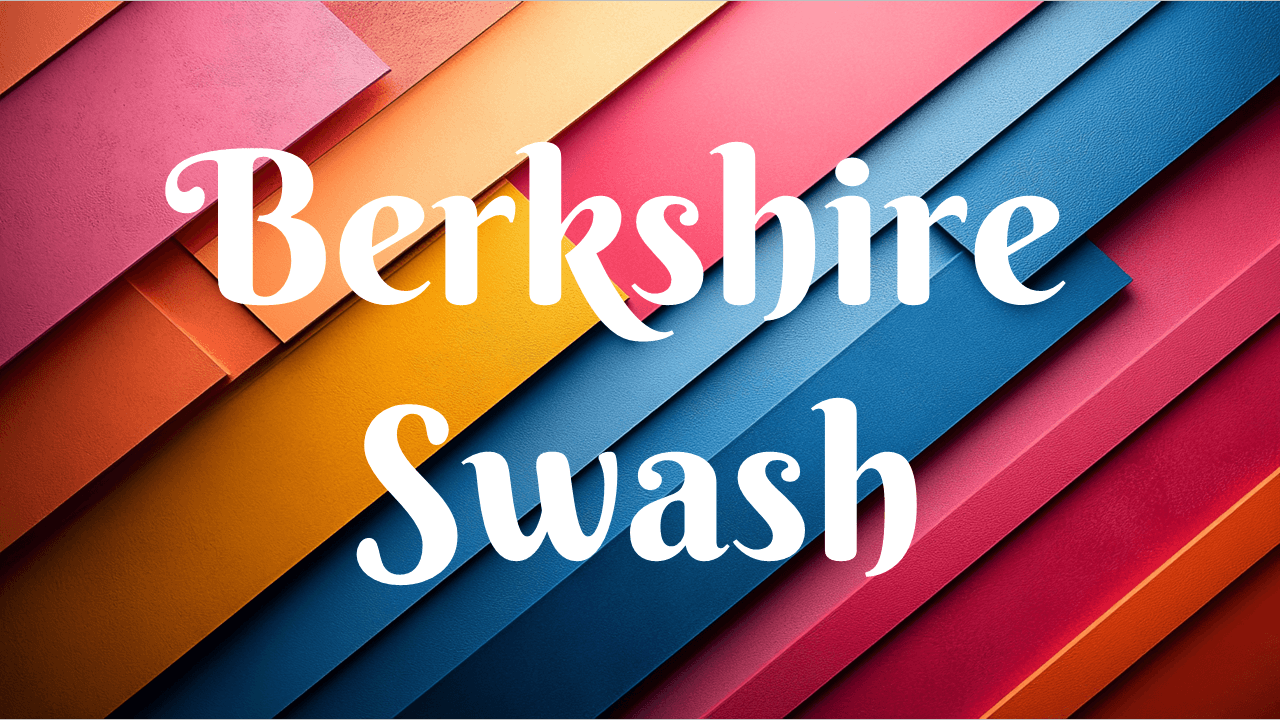
  • Berkshire Swash

    Elegant
    Get font

    Your Edit Text

  • Balsamiq Sans

    Playful
    Get font

    Your Edit Text

  • Gochi Hand

    Playful
    Get font

    Your Edit Text

  • Aboreto

    Elegant
    Get font

    Your Edit Text

  • Special Elite

    Edgy
    Get font

    Your Edit Text

  • Arbutus

    Edgy
    Get font

    Your Edit Text

Want to grow your YouTube channel?

vidIQ shows you the keywords, topics and best practices top creators use to get more views.

Try vidIQ Free

Affiliate link — we may earn a commission at no cost to you.

How to Use the Fonts for Edits Preview

Picking a font from a list of screenshots is guesswork. This tool shows your own words in every font, so you can see straight away which one suits your edit.

  1. Type the text you want to use in your video, like a hook, caption or title.
  2. Drag the size slider and pick a text colour and background close to your footage.
  3. Turn on Outline if your text sits on busy footage. Most CapCut edit text uses one.
  4. Filter by style (Clean, Bold, Playful, Elegant or Edgy) to narrow the list down.
  5. Click Get font to download your favourite free from Google Fonts, and Copy name to find it in CapCut.

How to Choose a Font for Your Edit

  • Captions need to be read fast. Clean fonts like Montserrat, Poppins or Rubik stay readable on a small phone screen.
  • Hooks and titles can be loud. Tall, heavy fonts like League Gothic, Oswald or Poetsen One grab attention in the first second.
  • Match the mood. Chewy and Gochi Hand feel fun and casual, Berkshire Swash and Aboreto feel premium, and Pirata One or Special Elite add grit.
  • Use an outline on busy footage. A thick black outline keeps white or yellow text readable over any background.
  • Stick to one or two fonts. One font for captions and one for titles keeps your edits looking consistent.

How to Add These Fonts to CapCut

  1. Click Get font next to the font you want, then Get font and Download all on Google Fonts.
  2. Unzip the download and open the .ttf file.
  3. Click Install (Install Font on a Mac).
  4. Close and reopen CapCut so it picks up the new font.
  5. Select your text, open the font list and search for the font's name.

Want to know what each font is best for? Read our full guide to the 35 best CapCut fonts, or learn how to add text in CapCut.

Frequently asked questions

What are the best fonts for edits?

It depends on the look you want. For clean, easy-to-read captions, Montserrat, Poppins and Rubik are safe picks. For bold hook text, try League Gothic, Oswald or Poetsen One. For a fun feel, try Chewy or Gochi Hand, and for something elegant, Berkshire Swash or Aboreto. Type your own text into the preview above to compare all 33 side by side.

Are these CapCut fonts free?

Yes. All 33 fonts are from Google Fonts, which are free and open source. You can use them in personal and commercial videos, including monetized YouTube videos and client work.

How do I add these fonts to CapCut?

Click Get font to open the font on Google Fonts, then click Get font and Download all. Unzip the download, open the .ttf file and click Install (Install Font on a Mac). Restart CapCut, select your text and search the font list for the font's name. The Copy name button copies the exact name to paste in.

Why does my text look a little different in CapCut?

The letter shapes are identical, but CapCut draws outlines, shadows and letter spacing its own way, so an outline can come out slightly thicker or thinner. In this preview, the Bold toggle uses the font's real bold weight when it has one (like Montserrat or Poppins) and thickens the letters when it doesn't.

Why aren't Burbank and Metaphobic in the preview?

Both are in our list of the best CapCut fonts, but they aren't on Google Fonts, so they can't be loaded in your browser for free. The other 33 fonts from that list are all here.

Is the font preview free?

Yes. It's free with no sign-up and works on phones as well as computers. Each font loads from Google Fonts as you scroll to it.
More free calculators